


E. Carter
UK Undergraduate Student
This website clearly showed me where my paper matched existing sources. It made reviewing and revising my work much easier, and I felt much more confident before submitting.
Check text for similarity across online sources and identify matched or closely related passages.
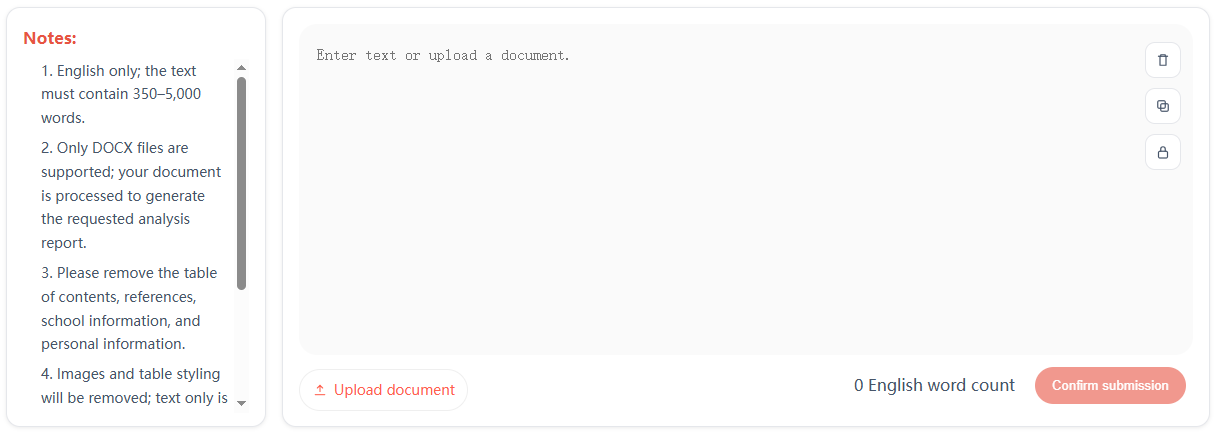
Review your content for similarity and revise matched sections with more confidence.
Our reports show which sections match other sources and why. You can review overlapping or closely related wording and see the relevant references.
Our website helps you review matched sections and revise them into clearer, more original wording.
We skip the unnecessary noise. Citations, quotes, and bibliographies are automatically excluded so your originality report reflects your actual writing, not your references
E. Carter
UK Undergraduate Student
This website clearly showed me where my paper matched existing sources. It made reviewing and revising my work much easier, and I felt much more confident before submitting.
K. Sato
International Student in Australia
I tried the originality checker before submitting an assignment and was genuinely impressed. It was simple, reliable, and gave me a much clearer idea of what needed attention.
D. Hughes
U.S. Graduate Student
The report was clear and easy to understand. It showed the overlapping phrases in context, so revising my paper was much quicker than I expected.
A. Khan
International Student in Canada
Checking my drafts has become much easier. The website points out reused wording clearly, so I can make quick revisions before submission.
O. Martins
Postgraduate Student
I sometimes lose track of which wording came from my notes or sources. This website helped me spot those sections and revise them before submitting.
M. Johnson
International Student
This tool is a total game-changer! I uploaded my draft and within minutes saw exactly what needed adjustment. It's fast, clear, and incredibly easy to use.
Use our tools to review similarity, improve clarity, and prepare your work with greater confidence.
Choose a paid plan to access our review and productivity tools.
Paste text or upload a PDF, TXT, or DOCX to start your analysis.
Get a detailed originality report with clear insights and highlighted matches.
We believe clarity and originality matter. Our review tools help students, writers, and professionals check source overlap and improve confidence before submitting or sharing their work.
We understand that many users have this concern. Please rest assured that all related services are private and secure, and your text remains yours. There is no tracking, no data leakage, and no unnecessary pressure. We take user privacy and document security seriously and hope you can use our services with confidence.
The estimated time is calculated from the average completion time of tasks processed during the previous period. It cannot predict how many documents will be uploaded at the same time as yours, so delays during peak periods are normal. This does not mean there is anything unusual or difficult about your document. We will complete it as soon as possible, so please wait patiently.
The system continuously optimizes the text based on its content. After processing is complete, you can review the optimized text and the corresponding detection report in your report history. If you have any questions about the result, you can also contact customer support for assistance.
To help maintain the overall quality, the Text Optimization Tool currently processes up to 5,000 words at a time. We recommend optimizing longer documents in separate sections. Please note that combining separately optimized sections may introduce new AI-style patterns, so the final document should be reviewed again after merging.


